Best Nano Banana Pro Presentation Tools (2026): Ranked by Workflow Fit


Quick Picks
If you only read one section, make it this:
- Need a reliable generate-and-refine workflow with .pptx export: Presentia
- Need Nano Banana Pro visuals but don’t care about editing inside them: PNG-based tools can work
- Already all-in on Google Workspace: Google Slides may be an option (depending on plan/availability)
Want to try the current workflow in /generate: Try 7 day free trial
Current Presentia Workflow (Updated February 24, 2026)
| Step | Where in UI | What happens |
|---|---|---|
| 1. Input | TwoStepHero | Prompt or document text is prepared for generation. |
| 2. Generation | /generate | Slides are created progressively with visible generation progress. |
| 3. Finalize | Edit/Preview + Export | Refine in Edit mode, then export PPTX or PDF from the toolbar. |

How We Ranked These Tools
This list is ranked primarily by what matters in real slide work:
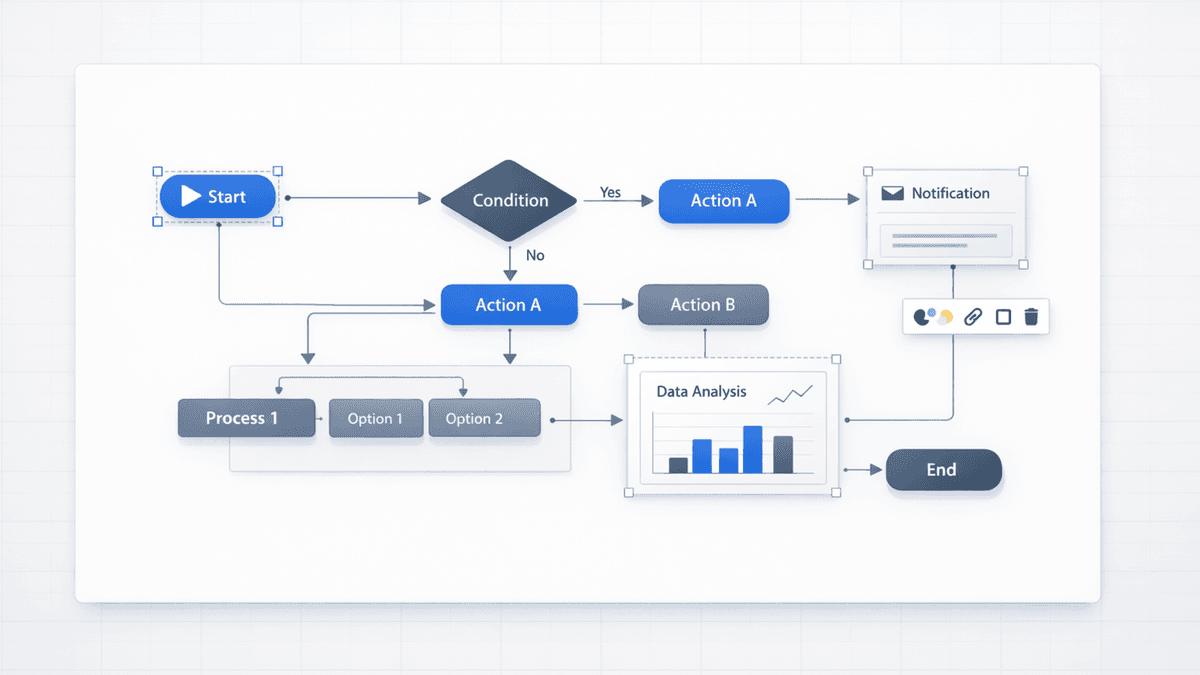
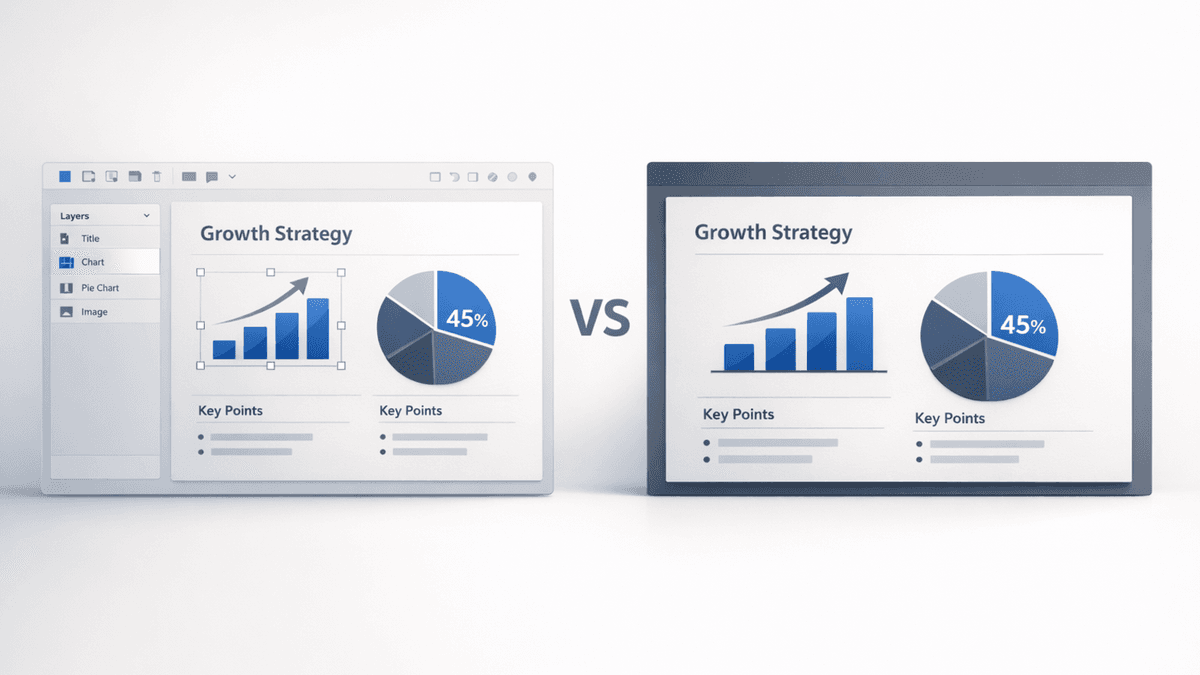
- Editability: Can you edit labels, shapes, and diagram parts—or is it a flat image?
- Output format: .pptx export workflow vs web-first formats vs PNG-only exports
- Workflow fit: Can you hand off files to teammates/clients and keep editing?
- Trial/evaluation: Can you test with your own content before committing?
- Use case fit: Who is the tool best for?
#1: Presentia AI — Best Overall for Generate -> Refine -> Export
URL: presentia.ai Rating: ⭐⭐⭐⭐⭐ Best for: Professionals and teams who need a generate -> refine -> export workflow
Why it ranks #1
Most tools can generate good visuals. The difference is what happens next.
Presentia focuses on generation speed, in-app refinement, and .pptx export from /generate—so you can:
- Edit text like text
- Recolor shapes with your brand hex codes
- Move and align diagram parts
- Update labels and numbers without regenerating the slide
Pricing
- Free trial: 7-day Pro free trial (credit card required — not charged for 7 days)
#2: Manus — Good, but Editability Can Be More Constrained
URL: manus.im Rating: ⭐⭐⭐½ Best for: Internal decks where you only need light edits
Manus is often compared with Presentia because it also positions around editable AI slides. In practice, teams usually feel the difference when they need:
- Element-level tweaks (not just theme-level changes)
- Deep rearrangement inside complex diagrams
- Consistent behavior after exporting/opening in PowerPoint
If you’re evaluating, export one deck and run the “editability test” (change labels, recolor one element, rearrange a flow).
#3: Google Slides (When You Can Stay Inside Google)
URL: workspace.google.com Rating: ⭐⭐⭐ Best for: Google Workspace teams who rarely hand off .pptx
Google Slides can be a strong option if:
- Your org is Google Workspace-first
- You do most edits in Slides (not PowerPoint)
- You don’t need perfect PowerPoint compatibility on export
If your stakeholders expect .pptx hand-offs, test export/edit behavior early—format conversions can be the hidden cost.
#4–8: PNG-Only Tools (Nano Banana Pro Without Deep Editability)
These tools can be useful when the output can stay “as generated,” but they’re limiting when you need real edits inside visuals.
Common pattern:
- The slide looks great
- The diagram/chart is a single PNG
- Any meaningful change requires regeneration
Tools in this category often include:
- AiPPT
- DrawPPT
- Alai
- NoteGPT
- EaseMate
Master Comparison Table
| Tool | Nano Banana | Editability | Output | Trial | Best For |
|---|---|---|---|---|---|
| Presentia AI | 4K | In-app editing before export | .pptx | 7-day trial | .pptx-first teams |
| Manus | 4K | Partial / varies | .pptx | Check current | Internal decks |
| Google Slides | 4K (in ecosystem) | In Slides | .gslides | Enterprise | Google Workspace orgs |
| AiPPT | 4K | PNG only | .pptx (PNG) | Limited | Quick visual drafts |
| DrawPPT | 4K | PNG only | .pptx (PNG) | Limited | Template-first decks |
| Alai | 4K | PNG only | Varies | Limited | Fast drafts |
| NoteGPT | 4K | PNG only | .pptx (PNG) | Limited | Doc-to-slides |
| EaseMate | 4K | PNG only | Varies | Limited | Mobile-first |
The 10-Minute “Editability Test” (Use This Before You Decide)
Export one deck and try:
- Edit a chart label
- Recolor one element (not the whole theme)
- Rearrange steps in a process flow
- Align objects and adjust spacing
- Hand the file to someone else to edit in PowerPoint
If those are easy, the tool matches how you actually work.
Our Recommendation
If you need repeatable .pptx workflows (client work, investor decks, brand-controlled templates), choose the option that behaves most like a normal .pptx workflow for hand-offs.
Disclosure
This review is published by Presentia AI. We’ve aimed to describe workflows and limitations as fairly as possible, but product capabilities change quickly—always validate by exporting and editing a real deck.
Related Articles