Back to Blog

What Is Nano Banana Pro? A Practical Guide for Presentation Visuals

3 min read
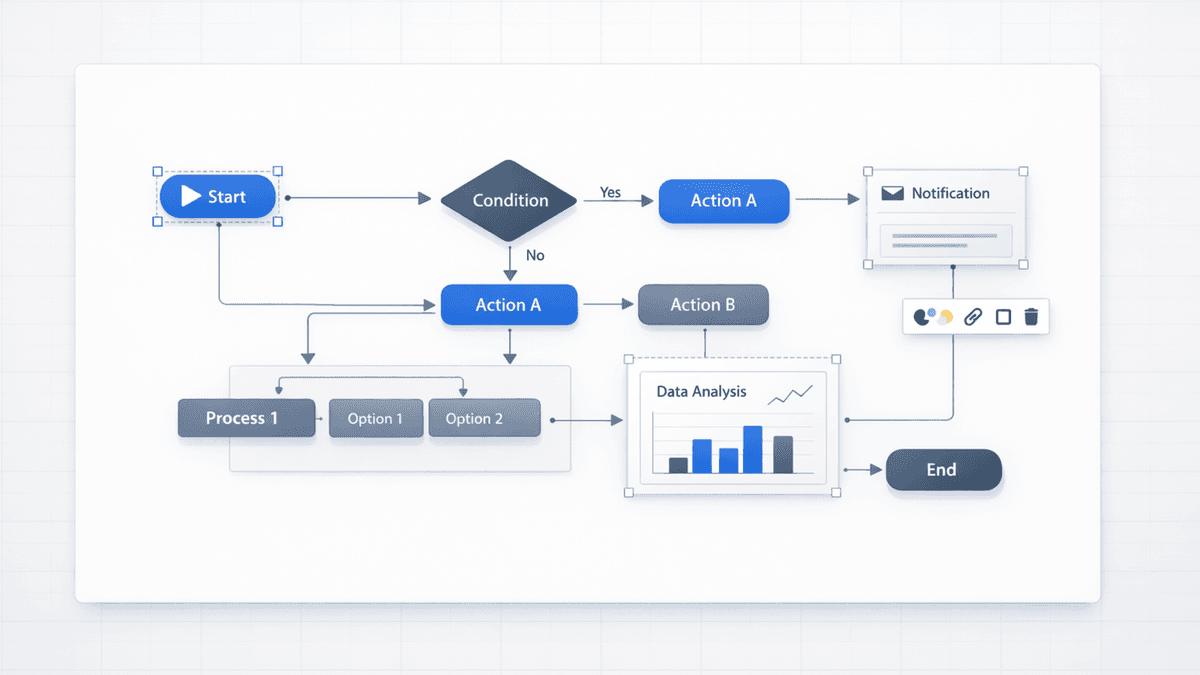
Structured visual components for presentation graphics in a minimal editorial setup

What Is Nano Banana Pro?

Nano Banana Pro is an AI image model often used for presentation-style visuals—diagrams, charts, frameworks, and infographics where layout and text legibility matter.

In plain terms: it’s the kind of model you reach for when you need a slide graphic that looks structured and readable, not just “pretty.”

Want to use it in a workflow where you can refine slides before export?

Try 7 day free trial


Current Presentia Workflow (Updated February 24, 2026)

Current workflow checkpoints
StepWhere in UIWhat happens
1. InputTwoStepHeroPrompt or document text is prepared for generation.
2. Generation/generateSlides are created progressively with visible generation progress.
3. FinalizeEdit/Preview + ExportRefine in Edit mode, then export PPTX or PDF from the toolbar.
Structured slide graphics with charts, frameworks, and process diagrams
Key points visual: structured diagrams and presentation-style graphics.

Why Nano Banana Pro Matters for Slides (Not Just Images)

Most image models are great at photos, illustrations, and mood boards. Slides are different. Business and academic decks are full of:

  • Axis labels and data callouts
  • Step-by-step flows
  • 2×2 matrices and positioning maps
  • Roadmaps and timelines
  • Org charts and hierarchies

Nano Banana Pro is popular because it tends to do better on structured graphics that a human would normally build with shapes and text.


What Nano Banana Pro Is Especially Good At

Here’s a practical list of “best use cases”:

  • Charts with readable labels (bar, line, pie, waterfall)
  • Process diagrams (5-step flows, branching decisions)
  • Framework slides (SWOT, 2×2, value chain, funnel)
  • Infographics (icons + callouts + captions)
  • High-resolution outputs that stay crisp when projected

It’s still AI, so you should validate anything data-critical—but the starting point is often stronger than general-purpose generators.


Nano Banana Pro vs Other Image Models (For Presentations)

If you only need one rule of thumb:

  • Use Nano Banana Pro for diagrams + labels + frameworks
  • Use DALL-E / Midjourney for conceptual or artistic hero imagery
  • Use Stable Diffusion when you need deep customization and you have the setup time

Here’s a quick comparison for slide work:

TaskNano Banana ProDALL-E 3MidjourneyStable Diffusion
Diagram structureStrongMixedWeakMixed (depends on setup)
Text inside visualsStrongerMixedWeakMixed
Creative/illustrative artGoodStrongStrongStrong
“Plug into slide workflow”Strong (with the right tool)WeakWeakWeak

If you want the full breakdown, see: Nano Banana Pro vs other AI image generators


The Hidden Problem: Great Visuals That You Can’t Edit

Even if the model generates a perfect chart or diagram, many tools export it as a flat PNG inside a slide.

That’s fine until you need to:

  • Fix one label
  • Change one color to match your brand
  • Update a number right before a meeting
  • Rearrange steps in a process

If you care about editability, choose a tool that exports a real .pptx where the slide elements behave like editable elements in Presentia Edit mode.


How to Use Nano Banana Pro in Presentia (Current Generate-to-Export Workflow)

  1. Start a Try 7 day free trial
  2. Open TwoStepHero, choose template/theme, and set image model to Nano Banana
  3. Generate the deck
  4. Export .pptx and finalize in Presentia Edit mode before export

Tip: In your prompt, name the exact visual format you want (“2×2 matrix”, “timeline”, “pipeline funnel”, “org chart”). That improves results more than adding extra adjectives.

If you want a complete walkthrough, read: How to create AI presentations with Nano Banana Pro


FAQ

Is Nano Banana Pro free to use?

It depends on where you access it (different products and plans can bundle it differently). If you want to test it end-to-end for slide creation plus refinement/export workflow, Presentia offers a 7-day trial.

Is Nano Banana Pro the same thing as “Gemini 3 Pro”?

You’ll often see Nano Banana Pro discussed alongside Gemini 3 Pro because it’s associated with that family of models. The naming varies by platform, but the practical takeaway is the same: it’s a model optimized for clean, structured visuals.

Is Nano Banana Pro better than DALL‑E or Midjourney?

For slide diagrams and labeled visuals, it’s often a better starting point. For creative hero imagery, Midjourney and DALL‑E can be a better fit.

What’s the best way to prompt Nano Banana Pro for slides?

Name the slide format and constraints:

  • “Bar chart with labeled axes…”
  • “5-step flow with arrows…”
  • “2×2 matrix with axes labeled…”

Then add style guidance (minimal, white background, brand accent color).


Next Step

Try 7 day free trial Credit card required. Not charged until trial ends.

Related Articles